In short
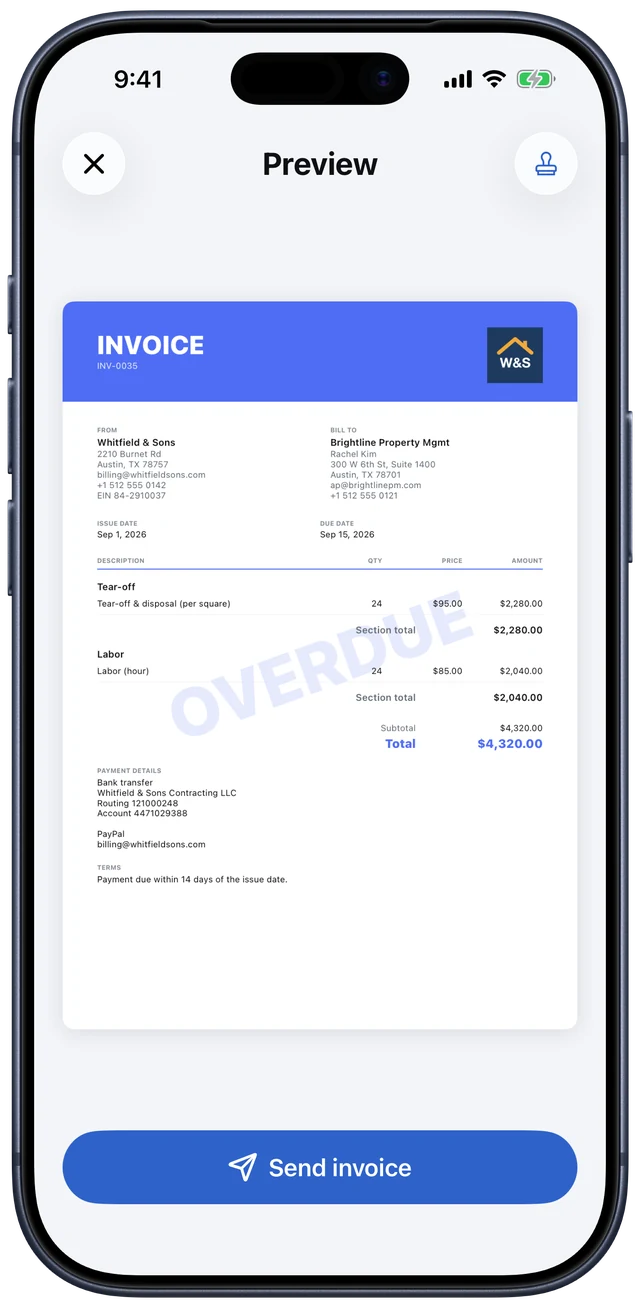
Invoices in Invocket have their own numbering with a prefix you choose, line items in sections with subtotals, one tax rate, a due date, notes and terms, and a PDF drawn on the phone in one of six templates. Mark them sent and paid in one tap.
On this page
What goes on the invoice
- Your company details, logo and the client under Bill to
- Line items with description, quantity and price, grouped into sections with subtotals
- One tax rate, added on top or included in prices (labeled VAT in the app)
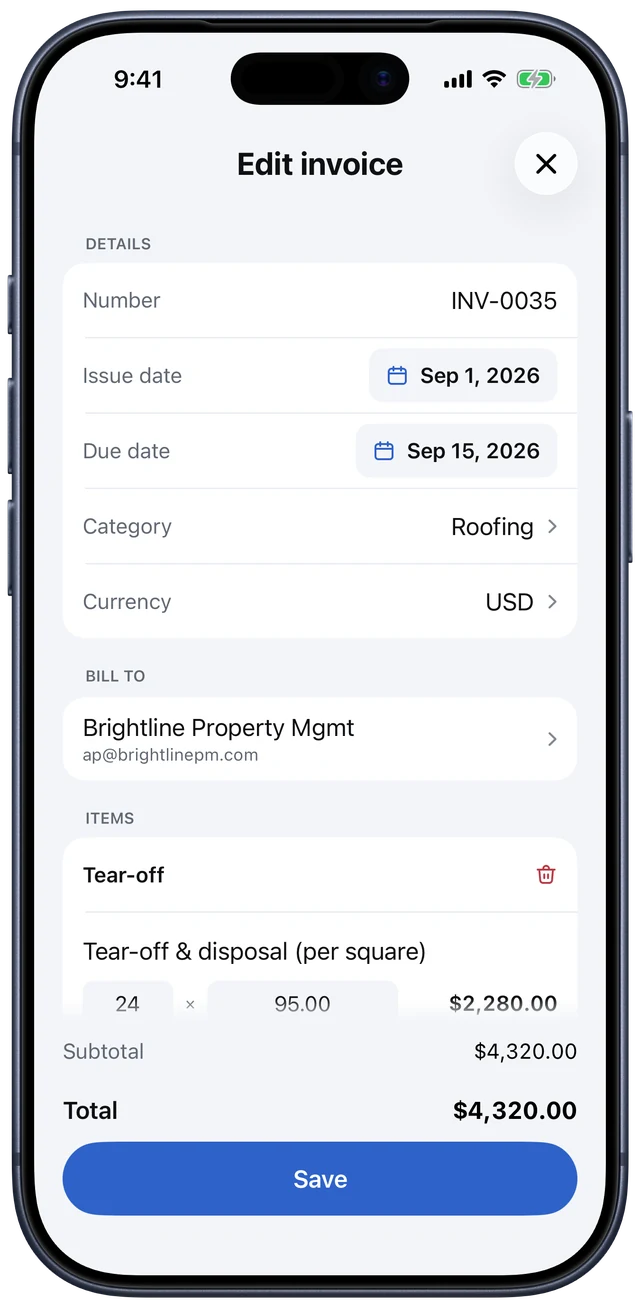
- Issue date and due date; the due date defaults to your company setting, 14 days unless you change it
- Notes and terms, each with a switch to show or hide it on the PDF
- Payment details: your bank, PayPal, card or other instructions, chosen per invoice
- A category, for analytics, and any of about 150 currencies
Numbering that stays in order
Pick a prefix and the next number once, and every new invoice takes the next one (INV-0041, INV-0042). A number can be changed by hand, and the app refuses one that is already used.
A PDF made on the phone
The PDF is rendered on the iPhone, not on a server, in the company's template: Classic, Modern, Minimal, Bold, Elegant or Compact, in your accent color with your logo and stamp. Paid invoices get a PAID stamp and the paid date; late ones get OVERDUE.
Send, then track it
Send by email opens Apple Mail with the PDF attached and the client's address filled in, and marks a draft Sent once the email goes. Share PDF sends it anywhere else. After that, the invoice list shows each one as Sent, Overdue by so many days, or Paid, and can be filtered by status, client, category or date.
Invoices: questions
Does Invocket handle deposits and progress billing?
Not as separate document types. Bill a deposit or a stage as its own invoice, or add it as a line item. The app does not subtract earlier payments automatically.
Can I take card payments through the invoice?
No. Invocket does not process payments or add pay links. Your payment details print on the invoice and the customer pays you directly.
Can I make recurring invoices or automatic reminders?
Not today. Duplicate copies an invoice into a new draft, and the Overdue status shows which ones to chase.

About this page
Invocket Editorial
Written by the team that builds Invocket, an invoicing app for contractors. We check prices and rules against published sources, name them on the page, and update the page when they change. How we write and check these pages.