In short
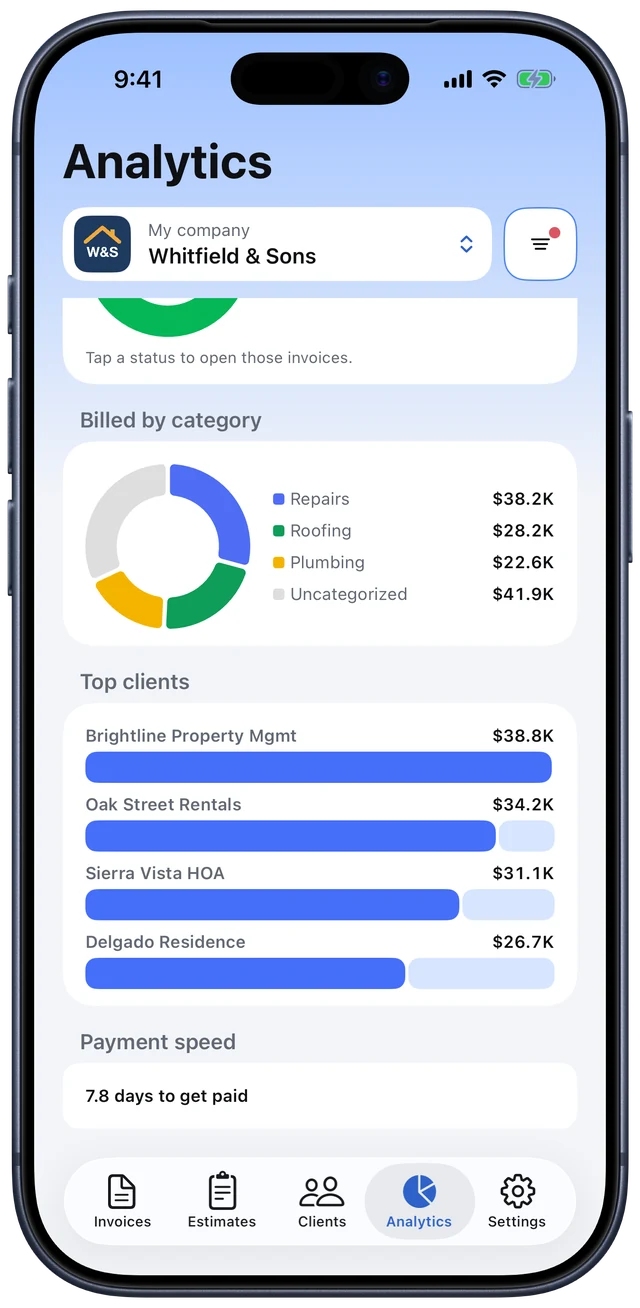
The Analytics tab shows Billed, Paid, Outstanding and Overdue, a monthly chart of what you billed or collected, breakdowns by status and category, your top clients and your average days to get paid, filtered by period, one currency at a time.
On this page
Four numbers at the top
- Billed: invoices issued in the period
- Paid: invoices paid in the period
- Outstanding: everything sent and not yet paid
- Overdue: sent invoices past their due date; tap it to open them
Charts that answer real questions
- Billed or paid by month
- Billed by status; tap a slice to open those invoices
- By category, using the categories you give your invoices
- Top clients
- Payment speed: the average days from issue to paid
Pick the period
Filter by All time, This month, Last month, Last 3 months, This year or a custom range, and switch between billed and paid. Analytics covers the active company's invoices; estimates are not counted.
One currency at a time
If you bill in more than one currency, each gets its own snapshot and you switch between them. Invocket never adds dollars to euros and shows a number that means nothing.
Analytics: questions
Does Invocket track expenses or profit?
No. Analytics covers what you invoiced and collected, not costs. Use the job profit calculator to price margin into the estimate.
Is Analytics part of the free plan?
Yes. Analytics is not behind the subscription.

About this page
Invocket Editorial
Written by the team that builds Invocket, an invoicing app for contractors. We check prices and rules against published sources, name them on the page, and update the page when they change. How we write and check these pages.