In short
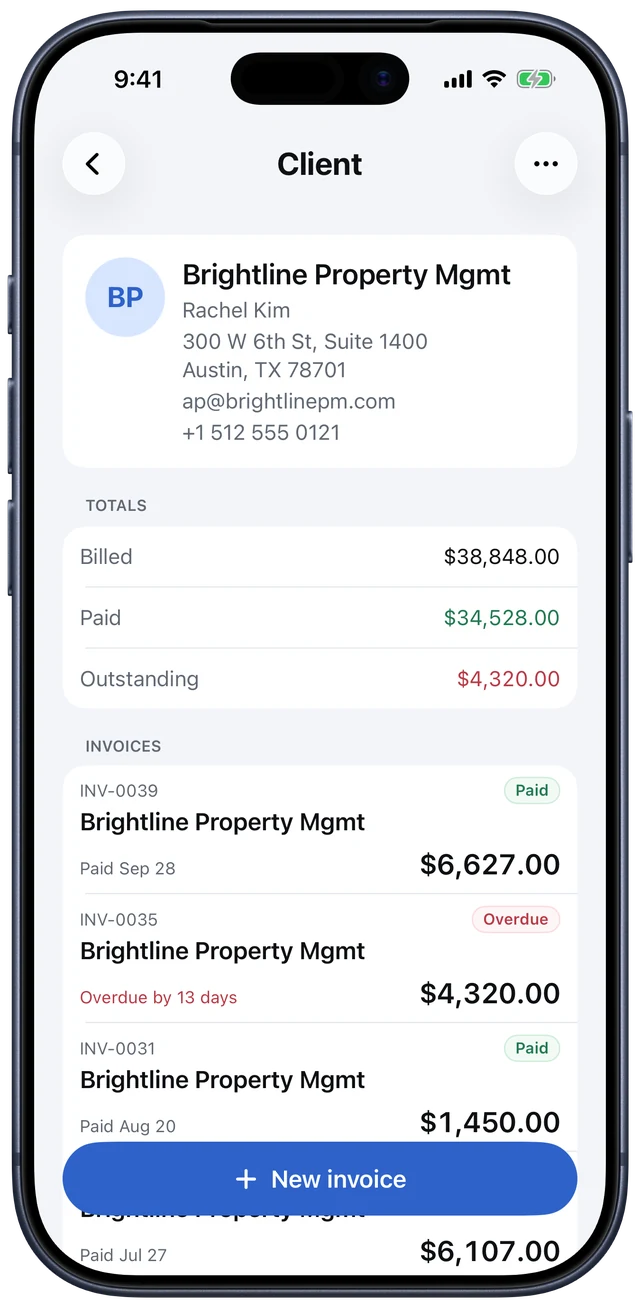
Each client in Invocket has contact details, a tax ID and private notes that never print, a list of their invoices, and Totals: billed, paid and outstanding, per currency. New invoices can start from the client.
On this page
Add a client in seconds
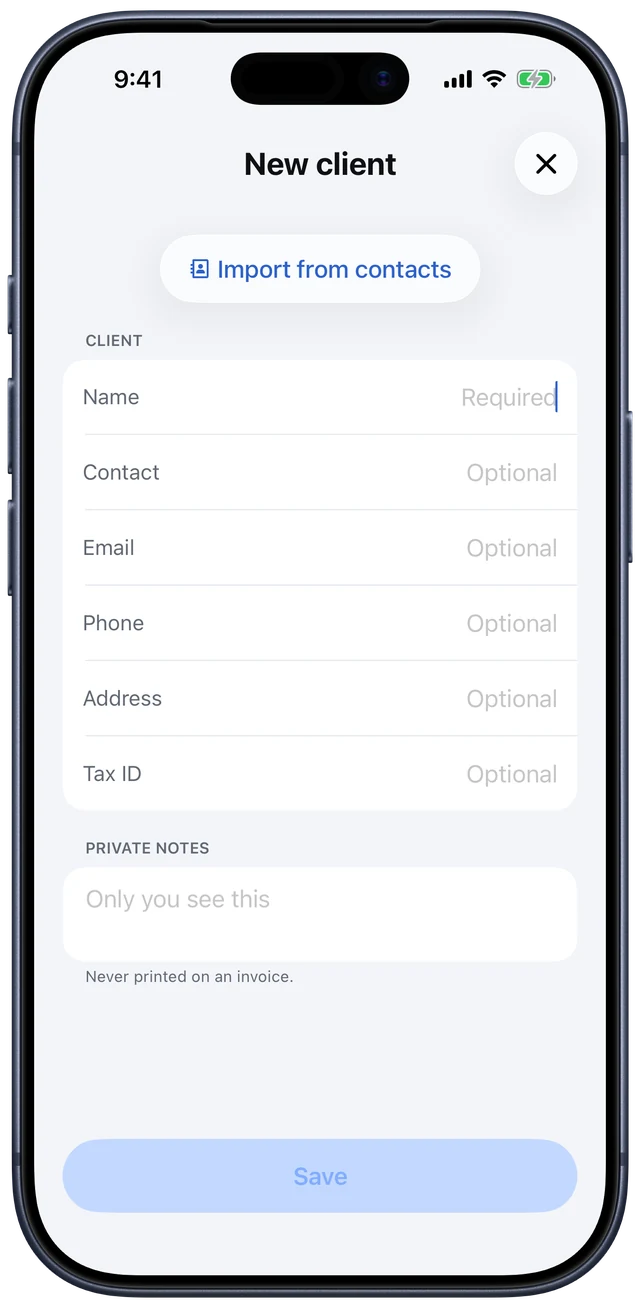
Import from contacts fills in the name, email, phone and address from your iPhone contacts. A contact with a company becomes a client under the company name, with the person as the contact. Or type it: only the name is required.
Notes only you see
Private notes, like the gate code or the dog's name, show on the client with a lock and are never printed on an invoice.
Billed, paid, outstanding
Each client shows Totals: everything billed, what has been paid, and what is still outstanding, with drafts left out. A client billed in two currencies gets two cards; amounts are never added across currencies. The client list shows how much each one owes. Invocket has no aging report or statement PDF; overdue invoices show how many days late they are.
Their invoices, in one place
Below the totals is every invoice for that client, newest first, with its status. Start a new invoice from the client and it is filled in for you. Invoices keep their own copy of the client's details, so editing or deleting a client never rewrites an invoice already sent.
Clients: questions
Can I import all my contacts at once?
No. Import from contacts brings in one contact at a time when you create a client.
Is there a limit on clients?
The free plan includes 3 clients. The subscription removes the limit.

About this page
Invocket Editorial
Written by the team that builds Invocket, an invoicing app for contractors. We check prices and rules against published sources, name them on the page, and update the page when they change. How we write and check these pages.