In short
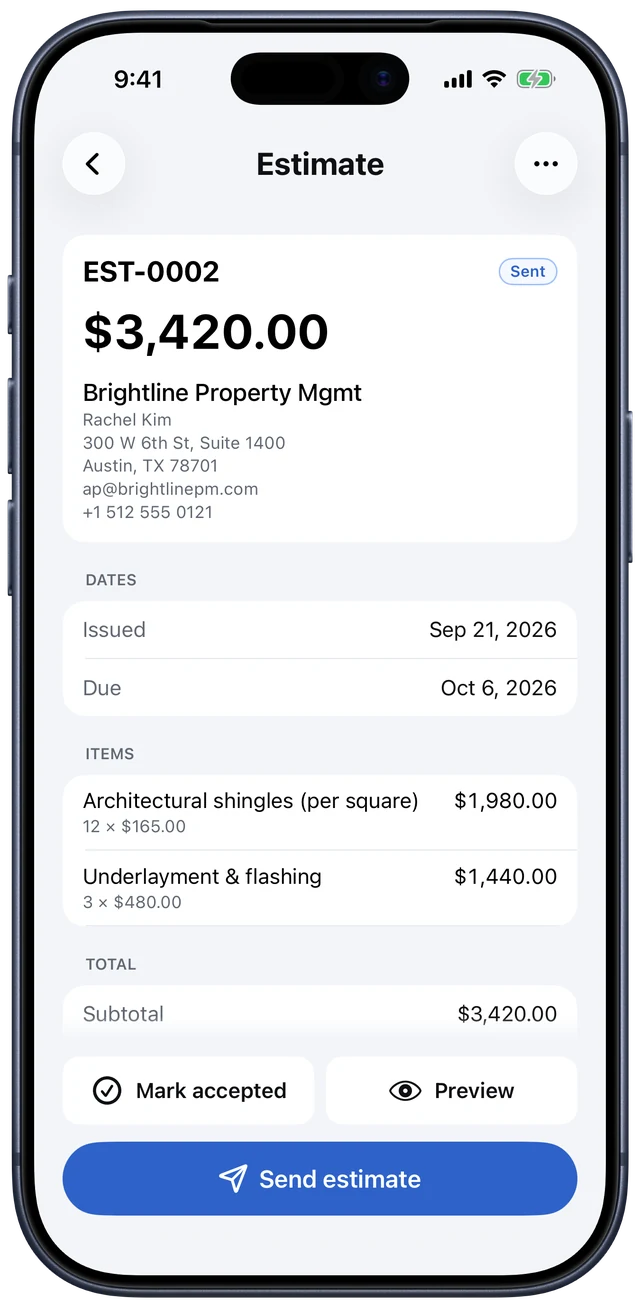
Estimates in Invocket have their own numbering, line items grouped into sections with subtotals, one tax rate, photos of the job attached to the PDF, and three statuses: Draft, Sent and Accepted. An accepted estimate converts into a prefilled invoice.
On this page
Line items, sections and one tax rate
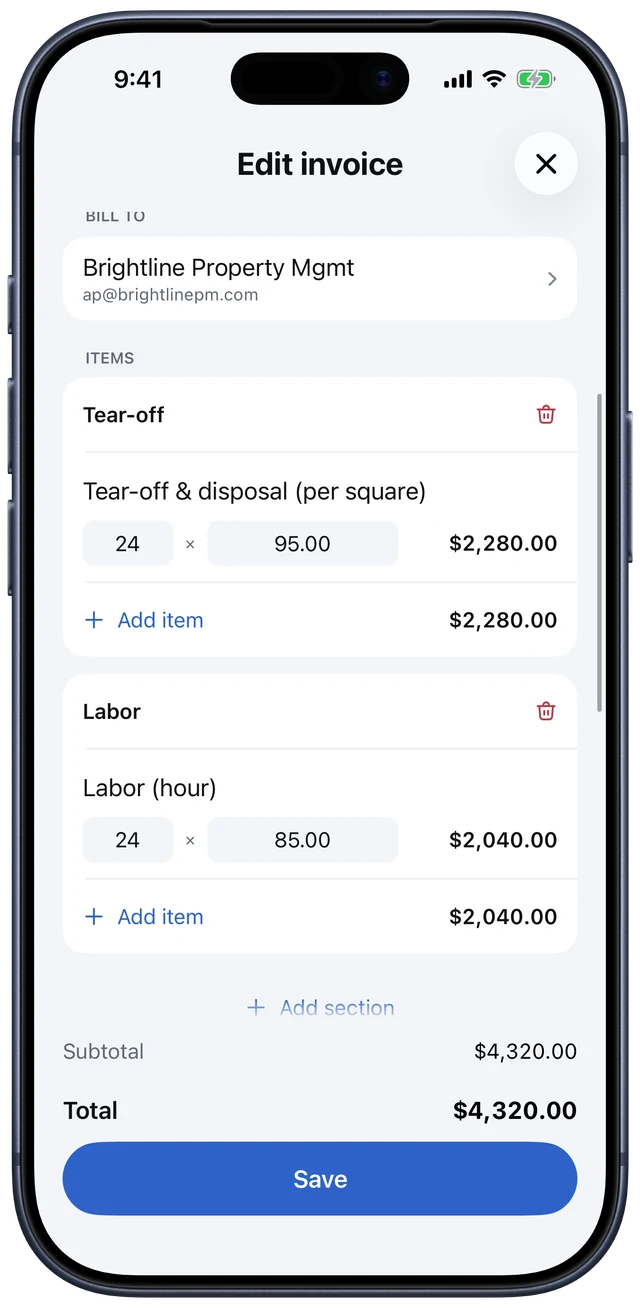
Each line has a description, a quantity and a price, and quantities can be fractional, so 2.5 hours or 12.75 square yards both work. Group lines into named sections, such as Tear-off, Materials or Labor, and each section gets its own subtotal on the PDF. One tax rate applies to the whole estimate, either added on top or included in the prices (the app labels it VAT).
Photos of the job, attached to the estimate
Take a photo or pick one from your library and it is attached to the estimate and added at the end of the PDF, so the customer sees the rotten decking or the cracked slab you are pricing.
Draft, Sent, Accepted
- Every estimate gets the next number in its own series (EST-0001, EST-0002), separate from invoices.
- Mark as sent when it goes out; emailing a draft from the app marks it Sent for you.
- Mark accepted when the customer says yes. There is no client e-signature: Accepted is a status you set.
- A sent estimate past its due date shows as Overdue, and the PDF carries an OVERDUE stamp.
From estimate to invoice
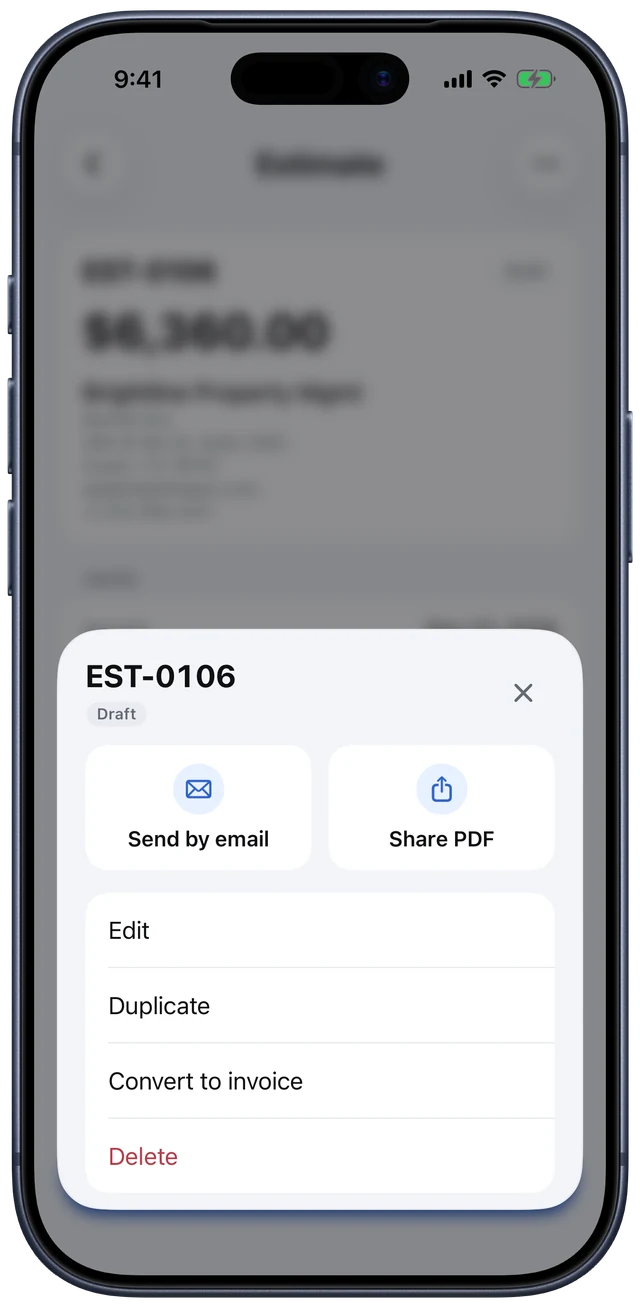
Tap Make invoice on an accepted estimate, or Convert to invoice from the actions menu. A new invoice opens with the client, every line item and section, the tax rate, payment details, notes and terms already filled in. It takes the next invoice number and today's date; check it and save. Duplicate copies any estimate into a new draft when the next job looks like the last one.
Send it before you leave the driveway
The PDF is drawn on your iPhone in your company's template, colors, logo and stamp. Send it with Send by email (Apple Mail, with the PDF attached) or Share PDF to any app, from text messages to WhatsApp.
Or let AI write the first draft
Choose Estimate with AI instead of Fill it in myself, describe the job, answer a few questions, and the draft lands in the same editor with line items, quantities and prices you then correct. See real AI drafts.
Estimates: questions
Can customers sign the estimate in the app?
No. Invocket has no e-signature. Send the PDF, and when the customer agrees, mark the estimate Accepted. You can place a stamp image, such as your own signature, on the PDF.
Can an estimate include a deposit?
You can add a line such as "Deposit due before work starts" or put the deposit in the terms. Invocket has no separate deposit invoice and does not subtract a deposit automatically when you convert the estimate.
How many estimates can I make for free?
The free plan includes 3 invoices or estimates in total and 3 PDF exports. The subscription ($8.99 a week or $98.99 a year after a free trial) removes the limits.

About this page
Invocket Editorial
Written by the team that builds Invocket, an invoicing app for contractors. We check prices and rules against published sources, name them on the page, and update the page when they change. How we write and check these pages.