
In short
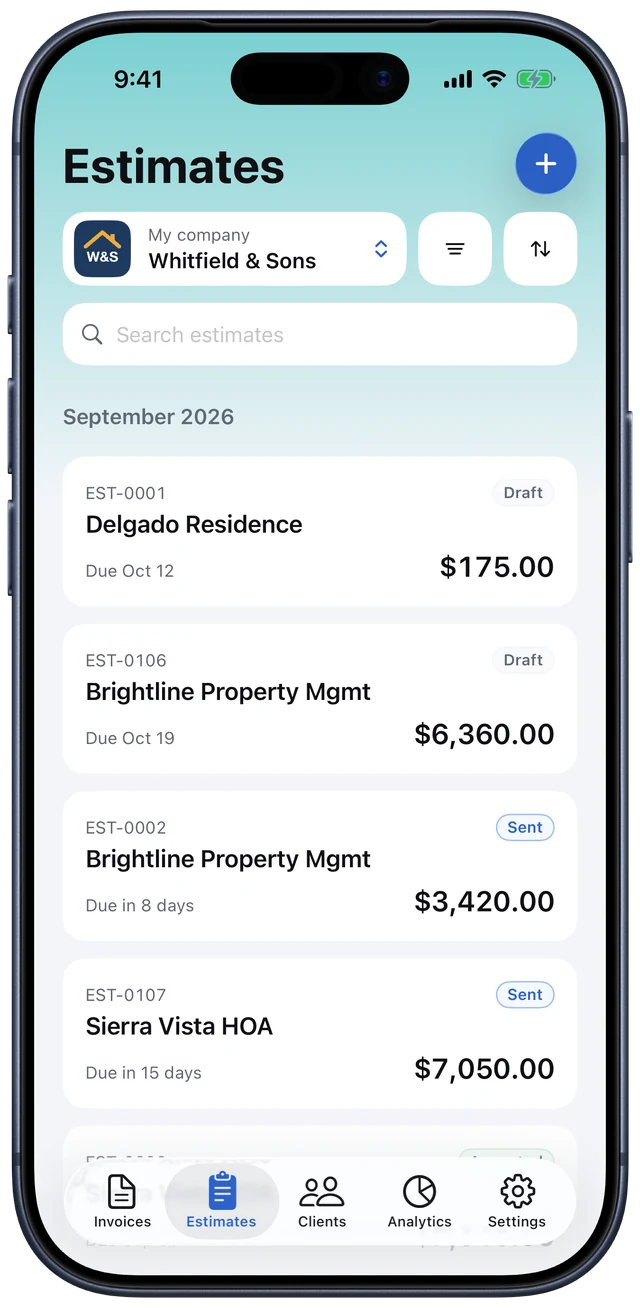
Invocket lets construction businesses write estimates on site, turn accepted ones into invoices, mark them paid and see who still owes what, all on the iPhone and without signal. Estimate with AI drafts the line items from a description.
On this page
What a construction job bills like
These are the lines a construction estimate usually carries. In Invocket each one is a line item with a quantity and a price, and you can group them into sections with their own subtotals:
- Mobilisation
- Progress draw, per milestone
- Change order
- Retainage, 10% held
How construction jobs are priced and paid
Pick the pricing unit you can inspect and measure. A fixed lump sum fits a defined renovation when plans, access, and finish selections are settled. Use square feet for flooring, drywall, or roofing; linear feet for trim, piping, or fencing; and each for doors or fixtures. Unit pricing fits variable quantities when each unit has a clear scope. Time and materials can fit repairs with concealed conditions, but state labor rates, material handling, and how extra work gets approved.
Break the estimate into recognizable work. Separate demolition, preparation, installation, and cleanup. Identify allowances, exclusions, owner-supplied materials, and the product or quantity assumed. For larger projects, a schedule of values divides the contract into priced items used to track progress. Each line should say what is included and how a changed condition will be priced.
| Line item | Priced by | What to write on the estimate |
|---|---|---|
| Demolition and disposal | Room or area | Items removed, protection, hauling limits |
| Site preparation | Area or lump sum | Excavation, grading, access assumptions |
| Framing and rough work | Each or linear feet | Walls, openings, materials, plan reference |
| Materials and delivery | Allowance or quantity | Product, quantity basis, delivery, substitutions |
| Installation labor | Area, each, or hours | Included work, finish level, preparation |
| Permits and cleanup | Each or lump sum | Who arranges each and cleanup boundary |
For residential work, state the deposit due to reserve the start or order materials, progress payment tied to a named milestone, and final balance due after completion and walkthrough. For commercial customers, follow the contract billing cutoff, schedule of values, required backup, approval route, payment terms, and retainage. Bill completed work and stored materials only as permitted. Keep signed approvals, delivery tickets, daily notes, inspection records, and photos with each billing period so the reviewer can trace the request.
The documents a construction job produces


What makes billing construction work harder
Hidden conditions change the takeoff
Opening a wall can expose damaged framing, wiring, or plumbing that was not visible at the walkthrough. A fixed quote can leave that labor unpriced. State inspection limits and exclusions in the estimate. Photograph and describe the condition, added work, and schedule effect. Get written price approval before covering it, and keep the customer’s response with the job record. Match this record to the revised estimate before billing.
Material selections alter allowances
A customer may select a tile, fixture, or door above the allowance, or the specified product may be unavailable. Record allowance quantity and included product in the estimate. Before ordering, document the selection and price difference and get approval. Keep supplier quotes and delivery tickets so billed material matches what was selected and installed. Update the contract total and retain the customer’s written selection for progress billing.
Progress billing needs field records
Trades finish areas between billing cutoffs, and a customer or GC may approve only verifiable items. Keep daily notes by area, quantities, delivery tickets, inspection signoffs, and dated photos. Match records to estimate lines or the schedule of values. Submit completed work at the cutoff with required backup. Missing records can stall payment, even when work is finished. Keep copies of each submission and approval with job documents for follow-up.
Dispute: Customer says work was included
Vague wording like ‘complete remodel’ leaves different ideas about demolition, preparation, finish, and cleanup. Prevent this by listing areas, quantities, products, exclusions, and who supplies materials. If an extra is challenged, send the accepted estimate and signed change order, identify the work in writing, and pause until the customer responds. Compare the objection against the signed scope before discussing a price adjustment.
Dispute: Customer questions final work or balance
A customer may withhold payment over a punch-list item, finish, or incomplete work. Record selections and progress with dated photos. Use a written walkthrough list separating corrections from new requests. Compare the invoice with the contract, changes, and payments. Reply to disputed lines in writing and record the agreed correction or balance. Keep payment and completion records together for closeout.
Weather and timing affect construction cash flow
Site work, roofing, concrete, and exterior repairs depend on weather and access. Rain, frost, heat, or storms can push a start or inspection milestone. Interior work may fill gaps, but lead times and occupied-home access still affect sequencing. A delayed milestone can delay its progress billing. Write weather assumptions and schedule changes down, notify the customer when the plan shifts, and track labor and supplier commitments while the site waits.
Construction invoicing FAQs
How do I write a construction estimate for a remodel?
Define work areas and sequence, then separate demolition, preparation, installation, materials, and cleanup. State quantities, allowances, owner-supplied items, exclusions, and conditions hidden until demolition. Give the price basis and payment milestones. Document added work separately rather than relying on a verbal agreement.
Should construction work be priced by square foot or by the job?
Use square feet when area and scope per unit are consistent, such as flooring. A fixed job price fits a defined plan and known conditions. Linear feet or per-item pricing fits trim or fixtures. For concealed repair conditions, define labor and material charges and get approval for added scope.
What should a construction deposit cover?
Tie it to a stated purpose, such as reserving the start or ordering specified materials, and show when it is due. Record it in the contract and invoice, then credit it against later billing. Check your state and local rules for deposit limits and contract requirements.
How do I price a construction change order?
Describe what changes, whether it adds to or replaces original work, and any schedule effect. Price labor, materials, delivery, and affected subcontract work on a stated basis. Get written approval before proceeding when required by the contract, then update the contract value and next billing.
What paperwork goes with a construction progress invoice?
Follow the contract and reviewer checklist. Backup may include the schedule of values, quantities or completion by item, approved changes, delivery tickets for eligible stored materials, and inspection records. Show prior billing and retainage separately. Keep a copy of the submission, approval, and payment record.
Does Invocket work for construction businesses of one?
Yes, it is built for them. There is no seat pricing, no crew scheduling and no account to create; the app opens straight into an empty ledger on your iPhone.
Can I send a construction estimate and turn it into an invoice?
Yes. Estimates have their own numbering. When the customer accepts, mark the estimate Accepted and convert it: a new invoice opens with the client, line items, sections, VAT and payment details already filled in, and you save it.
Does it work without a signal?
Yes. Documents are written to the phone, so creating, editing, rendering the PDF and marking an invoice paid all work with no connection. You need a signal to email the file and to use Estimate with AI.

About this page
Invocket Editorial
Written by the team that builds Invocket, an invoicing app for contractors. We check prices and rules against published sources, name them on the page, and update the page when they change. How we write and check these pages.
Keep going
Template
Construction invoice template
Fill it in on the site or download it.
Template
Construction estimate template
Line items, deposit and expiry date laid out.
Free tool
Invoice generator
Make a PDF invoice in the browser.
Free tool
Job profit & margin calculator
See what the job leaves you after costs.
Free tool
Markup calculator
Free tool
Labor cost calculator
In the app
Estimate with AI
Academy
Estimates that win the job
Price the job first